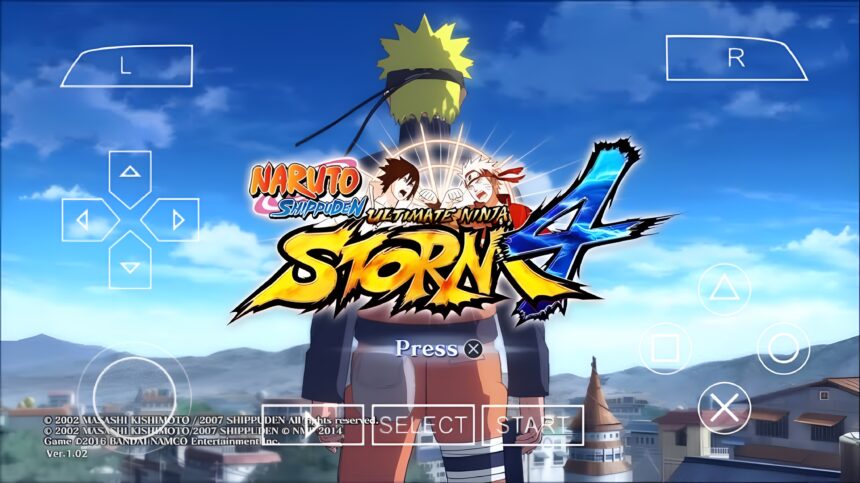
Download Naruto Shippuden Ultimate Ninja Storm 4 PPSSPP ISO highly compressed for Android. Enjoy smooth offline gameplay, and updated characters.
What the Game Is About
At its core, this game focuses on fast-paced anime battles inspired by the Naruto Shippuden storyline. The mod brings in Storm 4-style mechanics, meaning smoother combat, better combos, and more cinematic finishing moves compared to older PSP Naruto games.
You get access to a wide roster of characters, including Naruto (Six Paths), Sasuke (Rinnegan), Madara, Obito, and even Boruto-era fighters in some versions. Each character comes with unique jutsu, ultimate abilities, and awakening modes that mirror what fans expect from the Storm series.
The gameplay is built around 3D arena battles. You move freely, dodge attacks, charge chakra, and unleash combos. Unlike traditional 2D fighting games, positioning and timing matter more here, making fights feel more dynamic and realistic.
Eligibility Requirements to Run the Game
Even though it’s a PPSSPP game, performance depends on your device. The modded nature of the game means it can be slightly heavier than standard PSP titles.
Minimum requirements:
Android version: 5.0 and above
RAM: At least 2GB (3GB recommended)
Storage: Around 1GB free space (for ISO + save data)
Processor: Mid-range chipset or better
Recommended setup:
4GB RAM or higher
Snapdragon processor or equivalent
PPSSPP Gold emulator for smoother performance
A low-end phone can still run it, but expect frame drops during heavy fights or ultimate jutsu scenes.
Advantages of the Game
One of the biggest strengths is how much content is packed into a relatively small file. Compared to full console games, this mod is highly compressed while still delivering a rich experience.
The graphics are another highlight. Modders have pushed the PPSSPP engine to its limit, giving sharper textures, improved character models, and better visual effects.
Offline play is a major advantage. No internet is required once the game is set up, which makes it perfect for uninterrupted gaming.
Character variety also stands out. Many versions include updated rosters that go beyond what original PSP Naruto games offered.
Disadvantages You Should Know
Since this is a mod, stability can vary. Some versions may crash during specific fights or cutscenes, especially on weaker devices.
Not all features from the original Storm 4 are present. While the gameplay feels similar, it’s still limited by the PSP engine.
Control responsiveness can feel slightly off if you’re not used to touchscreen controls or haven’t configured your PPSSPP settings properly.
Also, different versions of the mod exist, and quality can vary depending on the build you download.
Game Information
Game Title: Naruto Shippuden Ultimate Ninja Storm 4 (PPSSPP Mod)
Platform: PSP (via PPSSPP Emulator)
File Type: ISO (Highly Compressed available)
Mode: Offline
Genre: Fighting / Action
Developer (Original Base): CyberConnect2
Mod Type: Storm 4 Texture + Character Mod
Common search keywords naturally tied to this game include Naruto Storm 4 PPSSPP ISO highly compressed, Naruto PPSSPP mod download, best PSP anime fighting games, PPSSPP Naruto latest version, and Naruto Storm mod Android offline.
How to Set Up the Game on Mobile
Setting up PPSSPP games is simple once you understand the process.
First, install the PPSSPP emulator from the Play Store. After that, download the Naruto Storm 4 ISO file. If it comes in a compressed format like ZIP or RAR, extract it using a file manager.
Move the ISO file to a folder you can easily access, such as “PSP/GAME” or “Download”.
Open the PPSSPP emulator, locate the folder where the ISO is stored, and tap on the game icon to launch it.
For better performance, go into PPSSPP settings and set rendering resolution to 1x or 2x for low-end devices, enable frameskip if lag occurs, and turn on Buffered Rendering for smoother graphics.
How to Fix Common Issues
Black screen on launch usually means the ISO file is corrupted or not fully extracted. Re-extract or re-download the file.
Lag or slow gameplay can be fixed by lowering graphics settings, enabling frameskip, and disabling unnecessary effects.
Game crashing during fights often happens on low RAM devices. Closing background apps can help stabilize performance.
Missing textures or invisible characters usually means the mod files were not properly installed or extracted.
Control delay can be improved by adjusting input settings inside PPSSPP and reducing background processes on your phone.
Common Mistakes to Avoid
One major mistake is placing the ISO file inside multiple folders. PPSSPP may fail to detect it if the path is too deep.
Another common issue is skipping extraction. Trying to run a ZIP or RAR file directly will not work.
Using the wrong PPSSPP settings can also ruin performance. Many users set graphics too high for their device and then complain about lag.
Downloading incomplete mod files is another problem. Always ensure the full file is downloaded before extracting.
Final Thoughts
Naruto Shippuden Ultimate Ninja Storm 4 PPSSPP ISO stands out as one of the most impressive anime mods available on mobile. It blends the fast, cinematic combat of the Storm series with the accessibility of PSP emulation.
While it’s not a perfect replacement for the console version, it delivers a surprisingly deep experience for its size. With the right setup and settings, it runs smoothly and offers hours of engaging gameplay without needing an internet connection.
For anyone searching for a highly compressed anime fighting game, a solid PPSSPP mod, or simply one of the best PSP games adapted for mobile, this title remains a strong option.