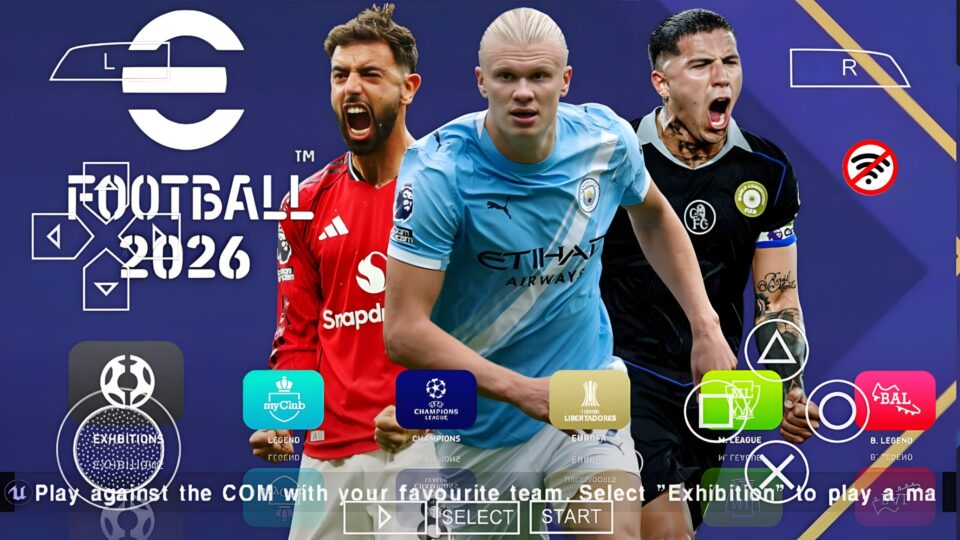
Information on 2026-2027 Lite PPSSPP 500MB with updated transfers, realistic gameplay, HD graphics, and game review.
What is Efootball 2026-2027 Lite PPSSPP 500MB?
Efootball 2026-2027 Lite PPSSPP is a customized PSP football game created by modders using an existing PSP football engine. The mod updates almost every visual element to reflect the 2026-2027 football season. Many versions include the latest club transfers, updated player faces, new season kits, current team squads, HD textures, improved stadium graphics, modern scoreboards, updated club logos, new football boots, and improved commentary in selected versions. The biggest attraction is the smaller download size. Instead of downloading files that exceed 1GB, the Lite edition usually stays around 500MB, making it suitable for devices with limited storage.
Game Information
| Game Name | Efootball 2026-2027 Lite PPSSPP |
| Platform | PSP (Playable using PPSSPP Emulator) |
| Category | Football Simulation |
| File Size | Around 500MB |
| Developer | Original PSP football game by Konami (Modded by the community) |
| Emulator | PPSSPP or PPSSPP Gold |
| Game Mode | Offline |
| Graphics | HD |
| Camera | Wide, Normal, Dynamic |
| Save Data | Included in most releases |
Main Features
Updated 2026-2027 Transfers
Most versions include recent transfers, allowing clubs to reflect the latest available squads. Popular clubs receive updated lineups, making Master League and exhibition matches feel more current.
Improved HD Graphics
Although the game runs on PSP hardware, texture improvements make the visuals much sharper than the original release. Grass textures, player models, stadium lighting, and menus receive noticeable upgrades.
Modern Kits
Clubs and national teams usually wear updated kits inspired by the latest football season. Goalkeeper jerseys, training kits, and sponsor logos are also refreshed in many releases.
Better Player Faces
Many famous footballers receive improved face textures, making them more recognizable during gameplay.
Smooth Performance
The Lite edition is designed to run efficiently on mid-range and entry-level Android phones while maintaining stable frame rates.
Offline Gameplay
No internet connection is needed after installation. Every mode can be played offline.
Mobile Requirements
Minimum Requirements
- Android 7.0 or later
- Quad-core processor
- 3GB RAM
- About 2GB free storage
- PPSSPP Emulator installed
Recommended Requirements
- Android 10 or later
- Snapdragon 720G or equivalent
- 4GB RAM or higher
- 3GB available storage
- PPSSPP Gold Emulator
- Vulkan graphics support
Advantages
- Highly compressed 500MB package.
- Offline gameplay after installation.
- Updated transfers, kits, faces, and stadiums.
- Compatible with many Android devices.
- Custom graphics settings inside PPSSPP.
- Faster download and installation than larger versions.
Disadvantages
- Not an official Konami release.
- Features vary depending on the mod creator.
- Graphics are limited by PSP hardware.
- Some versions may contain minor bugs or glitches.
Why the Lite Version is Popular
The Lite edition balances file size with gameplay quality by removing unnecessary assets while preserving the most important features. This makes it an excellent option for Android users with limited storage or slower internet connections.
How to Install Efootball 2026-2027 Lite PPSSPP
- Download the PPSSPP Emulator, ISO file, Save Data, and Texture files if included.
- Install the PPSSPP Emulator on your Android device.
- Extract every ZIP or RAR archive using ZArchiver or another extractor.
- Move the ISO file into your preferred PSP Games folder.
- Copy the Save Data folder into Internal Storage > PSP > SAVE_DATA.
- Copy the TEXTURES folder into Internal Storage > PSP > TEXTURES.
- Open PPSSPP, locate the ISO file, and launch the game.
Recommended PPSSPP Settings
- Rendering Resolution: 2x PSP
- Backend: Vulkan (or OpenGL if needed)
- Frame Skipping: Off
- Buffered Rendering: On
- Fast Memory: On
- Hardware Transform: On
- Anisotropic Filtering: 4x
- Texture Scaling: Off
Common Installation Mistakes
- Launching ZIP files without extracting them.
- Skipping the Save Data installation.
- Placing the TEXTURES folder in the wrong location.
- Using an outdated PPSSPP version.
- Deleting important extracted files.
- Renaming the ISO incorrectly.
- Installing without enough free storage.
How to Fix Common Problems
Black Screen
Update PPSSPP, switch between Vulkan and OpenGL, or re-extract the ISO if the game fails to load.
Game Crashes
Clear the PPSSPP cache, reduce rendering resolution, and verify that the ISO file is not corrupted.
Missing Kits or Faces
Make sure the TEXTURES folder is placed inside PSP > TEXTURES and restart the emulator.
Save Data Not Working
Confirm the Save Data folder is inside PSP > SAVE_DATA without changing the folder name.
Slow Gameplay
Lower the rendering resolution, disable unnecessary enhancements, and close background apps before playing.
Controls Not Responding
Reset the PPSSPP control settings or reconnect your external controller if one is being used.
Tips for Better Gameplay
- Use updated Save Data files when available.
- Adjust the camera angle to suit your play style.
- Test different graphics settings for smoother gameplay.
- Keep PPSSPP updated to the latest version.
- Maintain enough free storage for better performance.
Final Thoughts
Efootball 2026-2027 Lite PPSSPP 500MB offers a modern football experience in a compact package. Updated transfers, refreshed kits, improved graphics, and offline gameplay make it a solid choice for Android users looking for a lightweight PPSSPP football game without sacrificing performance.

password – mahgams
