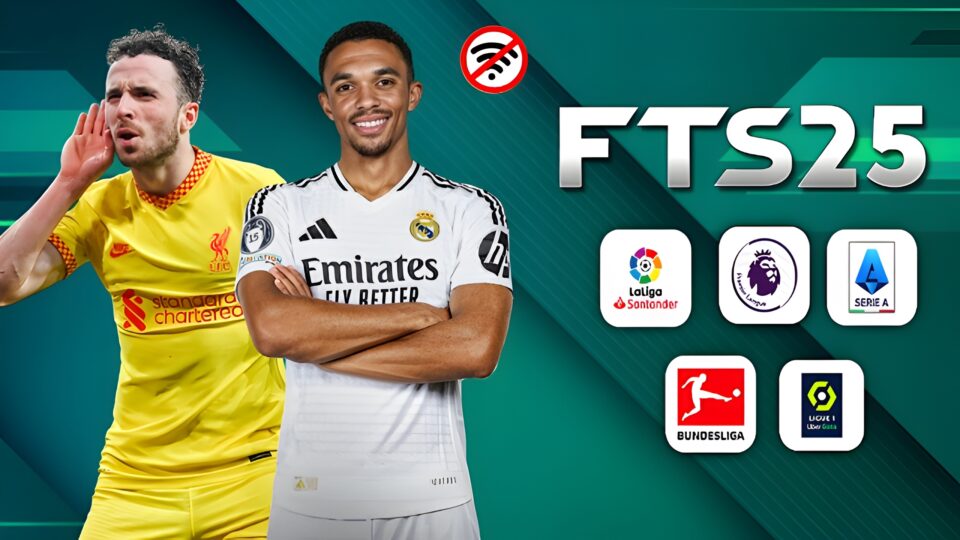
FTS 2025 APK review covering updated teams, transfers, kits, graphics, offline gameplay, Android requirements, installation, and common fixes.
What is FTS 2025 APK?
FTS 2025 APK is a modified version of First Touch Soccer (FTS), a football game originally developed by First Touch Games. While the official game stopped receiving updates years ago, fans have kept it alive by creating mods that reflect the current football season.
These community-made updates usually include:
- Latest player transfers
- Updated club squads
- New player faces
- Modern football kits
- Improved graphics
- Updated club logos
- New stadium textures
- Current league tables
- UEFA Champions League
- Europa League
- International competitions
Unlike larger football titles, FTS 2025 focuses on delivering smooth gameplay that performs well on both entry-level and mid-range Android devices.
Game Information
| Game | FTS 2025 |
| Full Name | First Touch Soccer 2025 |
| Developer | First Touch Games (Original Game) |
| Version | 2025 Mod |
| Category | Sports, Football |
| Platform | Android |
| Mode | Offline, Single Player |
| File Type | APK + OBB (varies by release) |
| Android Required | Android 5.0 or later (depends on mod version) |
| Storage Required | Around 500MB to 1.5GB |
Main Features of FTS 2025 APK
Updated Player Transfers
One of the biggest reasons people download FTS 2025 is the updated transfer market. Most mods include players who recently moved clubs, making the squads much closer to the current football season.
Latest Club Kits
The game replaces outdated jerseys with newly designed home, away, third, and goalkeeper kits for many clubs around the world.
Improved Graphics
Although FTS is an older football game, many 2025 mods improve grass textures, stadium appearance, menus, scoreboards, player faces, and lighting to give the game a fresher look.
Offline Gameplay
FTS 2025 does not require an internet connection after installation, making it ideal for playing anytime without using mobile data.
Smooth Performance
Unlike many modern football games, FTS runs comfortably on budget and mid-range Android smartphones while maintaining responsive gameplay.
Updated Commentary
Some versions include refreshed commentary packs that improve the match-day experience. Availability depends on the specific mod release.
Career Mode
Build your dream squad, sign players, improve your team, and compete across multiple seasons in Career Mode.
Multiple Competitions
- UEFA Champions League
- Europa League
- Premier League
- La Liga
- Serie A
- Bundesliga
- Ligue 1
- International Cups
Mobile Requirements
Minimum Requirements
- Android 5.0 or higher
- 2GB RAM
- Quad-core processor
- Around 2GB free storage
Recommended Requirements
- Android 9 or later
- 4GB RAM or higher
- Octa-core processor
- 3GB free storage
Meeting the recommended specifications helps reduce lag and provides a smoother gaming experience.
Advantages of FTS 2025 APK
- Lightweight installation size.
- Works completely offline after installation.
- Updated transfers, kits, and player ratings.
- Simple and responsive touchscreen controls.
- Runs well on many older Android phones.
- Frequently updated by the modding community.
Disadvantages of FTS 2025 APK
- Built on an older football game engine.
- Features vary depending on the mod creator.
- Some versions require manual installation.
- No official updates from the original developer.
How to Install FTS 2025 APK
Installing APK Only
- Download the APK file.
- Enable Install Unknown Apps.
- Open the APK.
- Tap Install.
- Launch the game.
Installing APK + OBB
- Download the APK and OBB files.
- Install the APK without opening it.
- Extract the OBB folder.
- Move it to Android/OBB.
- Launch the game.
Installing APK + Data + OBB
- Download all required files.
- Install the APK.
- Extract the Data and OBB folders.
- Move the Data folder to Android/Data.
- Move the OBB folder to Android/OBB.
- Open the game.
Game Crashes on Startup
Ensure the OBB file is correctly placed, reinstall the game if necessary, and confirm your Android version is supported.
Black Screen
Check that the OBB folder has been extracted correctly and copied into the Android/OBB directory.
App Not Installed
Delete any previous version of FTS, free up storage space, and install a fresh APK.
Unfortunately, FTS Has Stopped
Clear the app cache, restart your device, and verify that both the Data and OBB folders are in the correct locations.
Missing Commentary
Some mod versions do not include commentary. Install a release that specifically includes commentary files.
Lag During Matches
Close background apps, free up storage, restart your phone, and reduce graphics settings if available.
Common Installation Mistakes to Avoid
- Opening the game before copying the OBB files.
- Placing files in the wrong folder.
- Forgetting to extract ZIP or RAR archives.
- Mixing files from different FTS versions.
- Ignoring storage permissions.
- Deleting required game files after installation.
Why FTS 2025 Is Still Popular
Despite being based on an older football title, FTS 2025 continues to attract millions of football fans because it delivers lightweight, offline gameplay with updated squads, modern kits, refreshed competitions, and smooth performance on a wide range of Android devices. For anyone looking for a highly compressed football game that doesn’t sacrifice fun, FTS 2025 remains one of the best choices available.
Frequently Asked Questions About FTS 2025 APK
Is FTS 2025 APK available for Android?
Yes. FTS 2025 APK is a community-made Android mod based on the classic First Touch Soccer game. Features and file requirements may vary depending on the version.
Can I play FTS 2025 offline?
Yes. Most FTS 2025 versions support offline gameplay after the required APK, OBB, and Data files have been installed correctly.
Does FTS 2025 have updated transfers?
Many versions include updated transfers, player squads, ratings, and club information. However, the exact updates depend on the mod version.
How much storage does FTS 2025 need?
The storage requirement depends on the version and included files. Having at least 2GB of free storage is recommended before installation.
What Android version is required for FTS 2025?
Many releases work on Android 5.0 and newer, although compatibility can vary. Newer Android phones may require a version specifically optimized for them.
Why is FTS 2025 not installing?
The issue may be caused by low storage, a corrupted APK, an incompatible Android version, or an older FTS installation. Free up storage, remove conflicting versions, and try a compatible APK.
Why does FTS 2025 show a black screen?
A black screen can happen when OBB or Data files are missing or placed incorrectly. Make sure all required files are extracted and moved to their correct folders.
Does FTS 2025 include new kits?
Yes. Many FTS 2025 mods include updated home, away, third, and goalkeeper kits. The available kits depend on the specific version.
Can FTS 2025 run on low-end Android phones?
Yes. FTS uses a relatively lightweight game engine, so some versions can run on devices with 2GB RAM. For better performance, 4GB RAM or more is recommended.
Why is FTS 2025 still popular?
FTS 2025 remains popular because it offers simple controls, offline gameplay, updated football content, and relatively low hardware requirements. It is a good choice for players who enjoy classic football games.

